AiCut: the creative side — skills · word cards · transitions · filters · templates
This is the advanced half of the manual. It covers five things only: how skills work, how word cards come in, how to have an AI make them for you, the full list of transitions and filters, and the template system. The basics (the timeline, export, keys) are in the manual.
Applies to: Studio, browser and desktop. "AI" and "the agent" mean the coding agent in your chat window (Codex, Claude Code, DeepSeek and the like).
Contents
- Skills: what you hand the AI
- Text templates and word art: 96 sets that move
- Bringing word cards in: one JSON file
- Having an AI make word cards
- Every transition: 6 basic and 48 drawn
- Every filter: 14 groups, 113 cards
- The template system
- Prompts to keep by
1. Skills: what you hand the AI
1.1 What a skill is
A skill is a folder whose heart is a SKILL.md written for a coding agent: what it is, when to use it, what steps to take, what not to touch. Every step of making a film — reading the format, choosing a style, writing a page, cutting — goes by what the skill says. You never have to read one, but knowing what the repository holds lets you ask for the right thing.
1.2 The two the app ships
| Skill | What it covers |
|---|---|
| aicut | the agent's general manual: the film format (film.html + pages + tracks), the editing commands, how to check its work. Every film starts from it. |
| aicut-motion | motion and style: all 137 archived styles, each with its own code and notes. Every starting film carries it. The whiteboard pipeline of style 137 (python scripts plus a preview bench) is in it too: assets/srt/. |
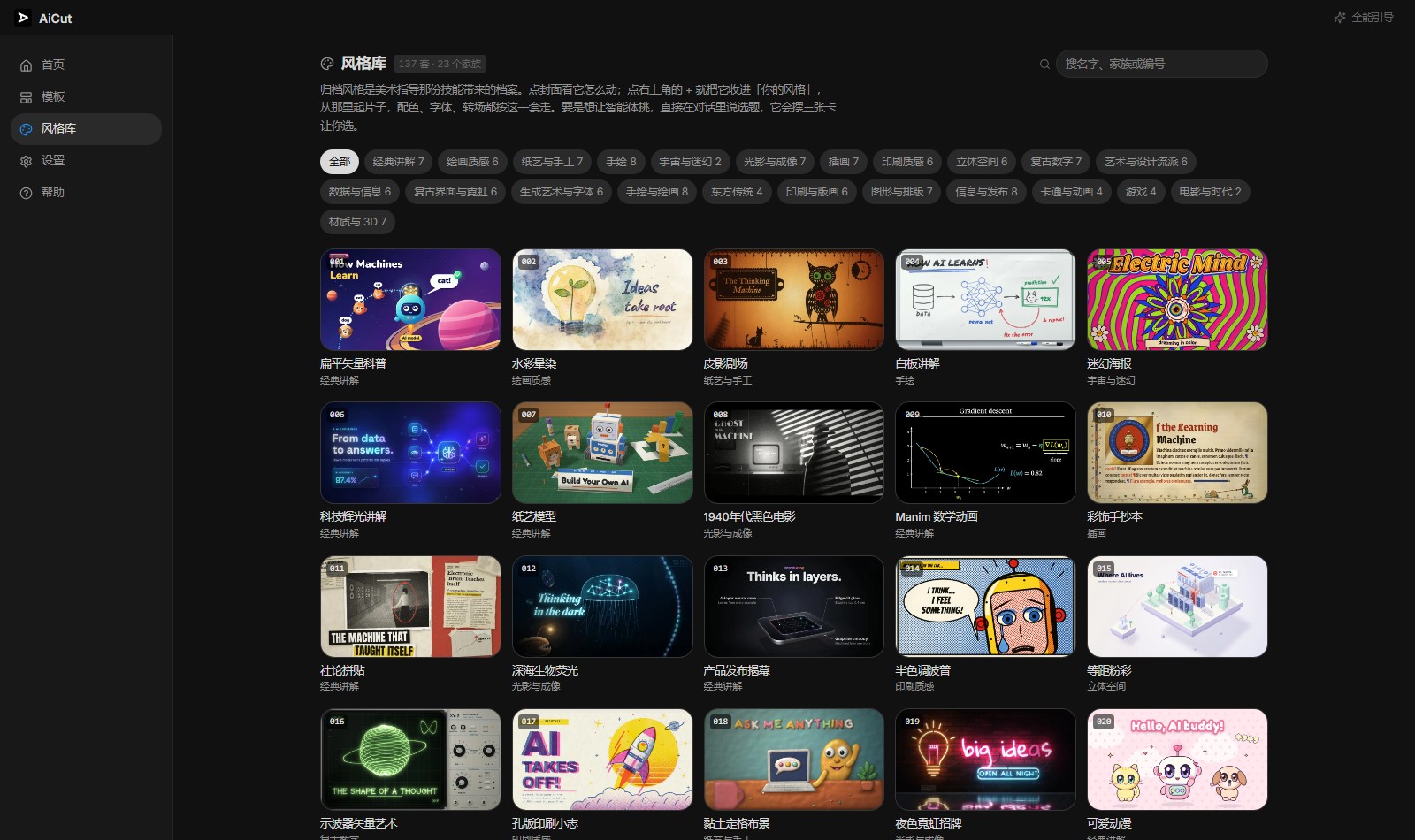
1.3 The 137 numbered styles (001–137)
The styles inside aicut-motion are archived by number, and the three kinds look different:
- 001–086 (single-page styles): one
draw()function drawing each frame from the timet. For a title page, a stretch of scenery. - 087–136 (whole-film styles): each carries a complete example film, so you can see what it comes out like.
- 137 (whiteboard pen line): not a picture but a pipeline — its demo is the film that pipeline rendered.
Among the usual ones: 008 film noir, 009 Manim maths, 004 whiteboard explainer, 019 neon night, 020 kawaii anime, 012 bioluminescent deep sea… Filter by family in the style library, or search the number (say 026).
1.4 Three things the skills page does
The skills page in the left column lists everything the app can hand an agent. Each row has:
- A switch: whether the skill also appears as a style at the top of the style library (a real picture, not a swatch). A project started from it carries the skill; switching it off only takes the card away, and the skill stays.
owner/repoimport: fetches a repository's skills from GitHub (they land in~/.aicut/skill-libraryand are only listed — they do not become style cards by themselves).- A bin: deletes a skill, after asking once. The app's own three cannot be deleted.
1.5 Telling the AI to use a skill
There is nothing to "apply" — say what you want and the AI picks. A few ways:
- Name it: "in the style of 008-1940s-film-noir, a 40-second film about a café in old Shanghai"
- Let it choose: "a short film about Yunnan mushroom hotpot — show me three styles first" — it lays out three style cards for you.
- Change the style: "redo this one with the feel of 020-kawaii-anime, same structure and copy"
- The whiteboard: "turn this transcript into a whiteboard explainer"
Covers you have opened in the style library gather under your styles, and those cards start a project in that palette on one press.
2. Text templates and word art: 96 sets that move
Under the media panel's text tab, two things share one library of styles:
- The word-art library: 96 looks for type, in 8 groups — popular / titles / variety / commerce / retro / cute / Chinese style / tech. What you choose is how the letters look.
- Text templates: 42 word cards (a style plus words ready to go — a starburst saying "look here!", a ribbon for "the final round", a monospaced "plus ten points"). A press drops the style and the words at the playhead, and the words change as you like. Under them are 5 film titles (see section 7).
Every set moves. Each of the 96 has an animation running on the timeline's clock, 16 kinds in all:
shine, flicker, glitch, bounce, pulse, wobble, shake, typing, stamp, rise, blink, jelly, hop, sweep, drift, hue
Rest the mouse on a word card or a word-art cell and a moving preview plays in place (the same page that goes into the film), and it goes away when you move off. Every animation is a pure frame(t) — scrubbing the timeline changes nothing: any second is that second's picture.
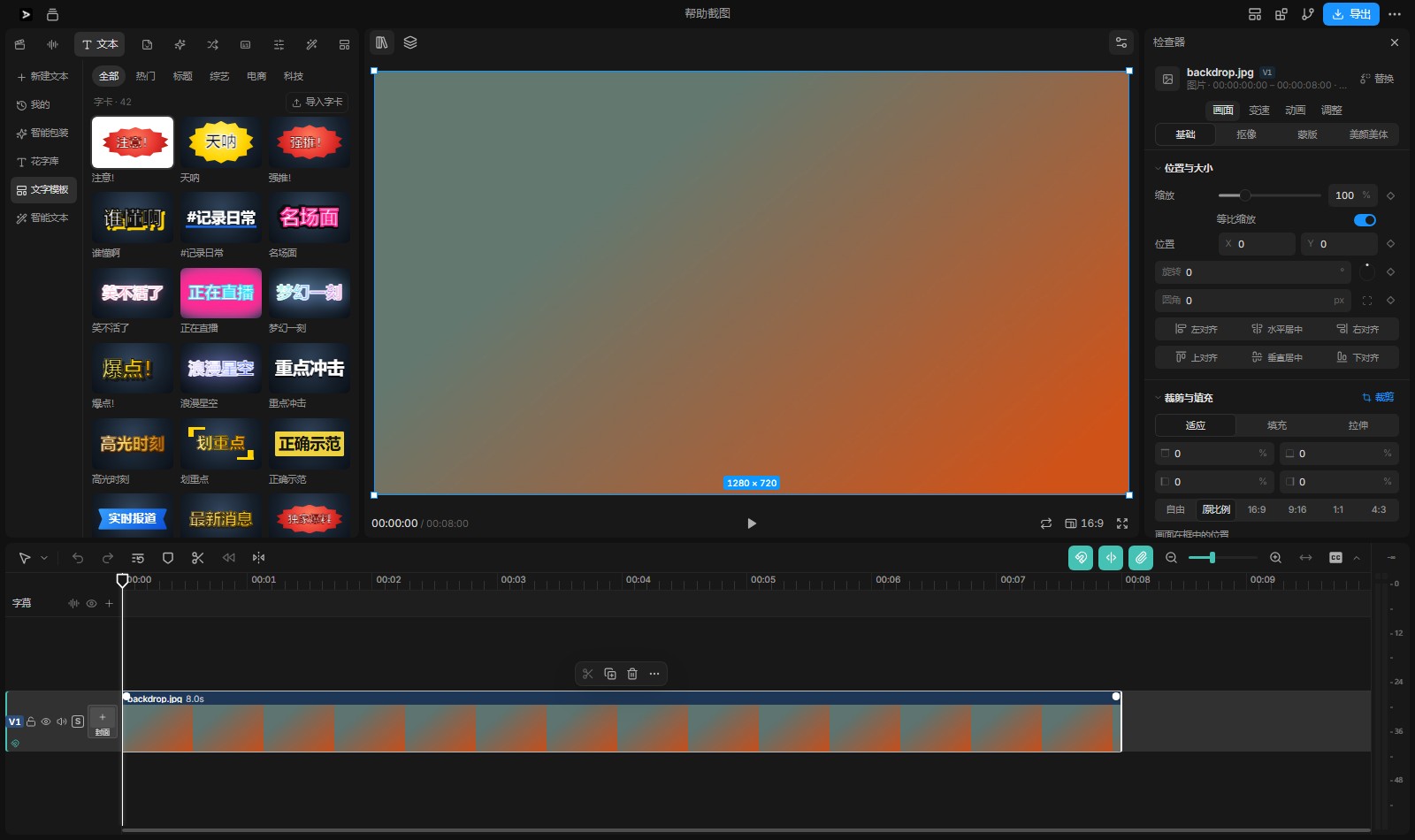
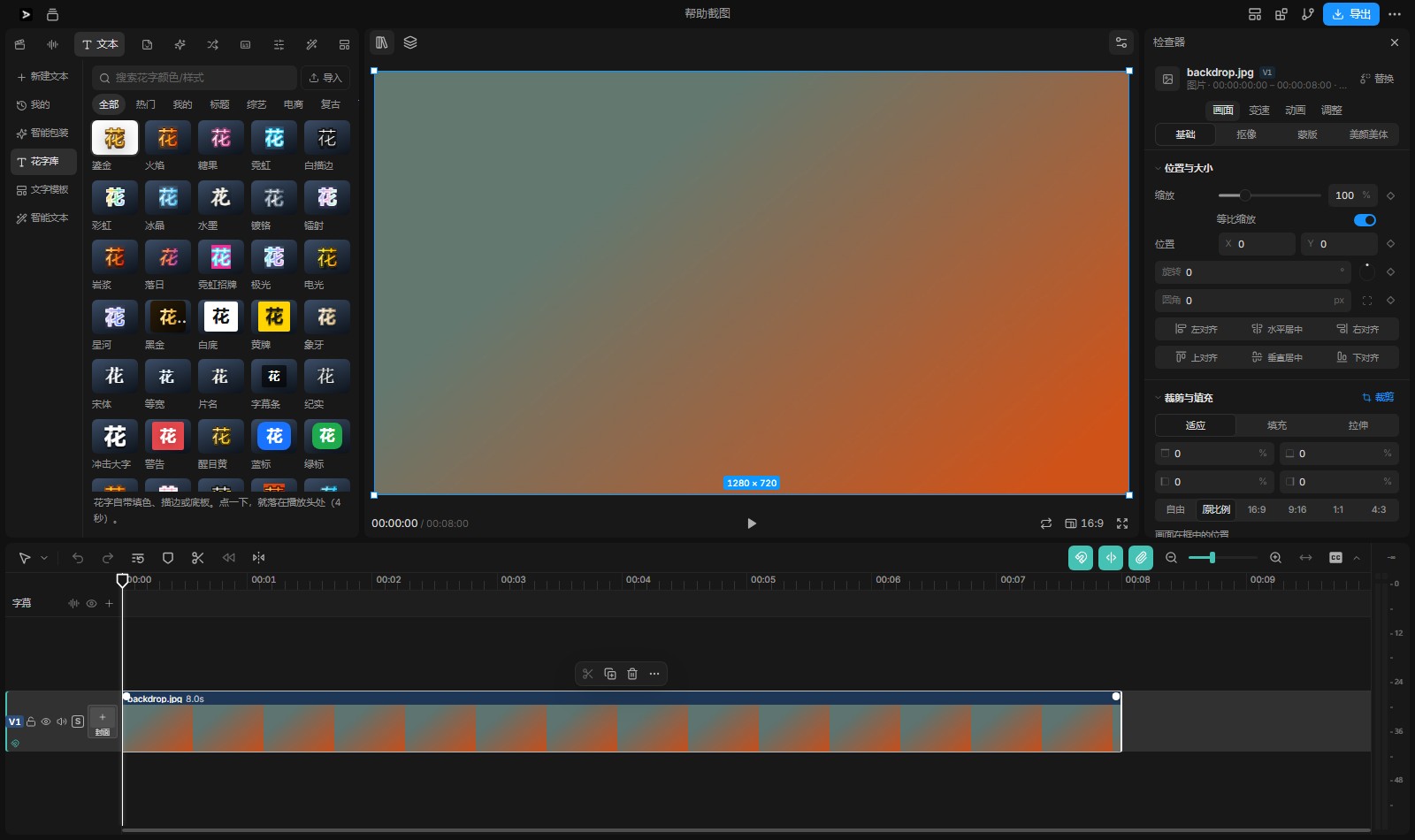
From the variety group's 27, some that land: scare (comic shake), bullet comments (small lines drifting at the top), score up (pixel hop), clash (jelly), quiz (bouncing ticket), the crowd (jelly rainbow), spotlight (black and gold stamp), showdown (red and blue ribbon, shaking), absurd (wobbling rounded type), reaching the top (golden pulse), tears (blue rounded type, hopping).
3. Bringing word cards in: one JSON file
3.1 Where
The import button on the text templates or word-art library tab, then a .json file. What comes in lands in a new mine group at the front of the shelf, with the same hover preview and a × in the card's corner to take it away again. The styles are kept in AiCut's home (~/.aicut), so every project can use them.
3.2 The file
One file holds one style or several — all three shapes are read: a single object, an array of objects, or { "looks": [...] }. Copy the ready-made example in the repository: packages/AiCut/examples/word-cards.json.
{
  "looks": [
    {
      "id": "sunsetCard",
      "name": { "zh": "晚霞", "en": "Sunset" },
      "tags": ["橙色", "渐变", "sunset"],
      "gradient": ["#ffe066", "#ff7a4d", "#a34ad6"],
      "stroke": { "w": 0.1, "color": "#3a1040" },
      "shadow": [{ "y": 0.5, "blur": 1.6, "color": "rgba(58,16,64,0.45)" }],
      "weight": 900,
      "italic": true,
      "anim": "shine"
    }
  ]
}
3.3 The fields
| Field | Type | Notes |
|---|---|---|
id | string | letters, digits and hyphens. my- is put in front on import; a name already taken gets -2 and up |
name | {zh, en} | the two names; this is what the shelf card shows |
tags | array of strings | for searching; colours and uses are worth writing |
color | colour | a flat fill for the letters. At least one of color, gradient, plate; without one the card is refused |
gradient | array of colours | a gradient fill (2–4 stops); color gives way to it |
stroke | {w, color} | an outline; w is a multiple of the size (0–0.5), drawn outside the letters |
shadow | array of {x, y, blur, color} | several shadows: an outline ring, a solid side, a neon glow, all by stacking |
plate | {bg, shape, radius, padX, padY, border} | the plate behind: bg a colour or a CSS gradient; shape one of eight — burst (starburst), banner (ribbon), tag (swing tag), hex (hexagon), notch (ticket), frame (border), corners (corner marks), underline (highlighter stroke); with no shape it is a plain rounded plate |
anim | an animation name | one of the 16 (the bold list in section 2); with none it stays still |
weight | 100–900 | the weight; word art is usually 800–900 |
italic | boolean | italic |
font | sans/serif/round/mono/hand | family: sans / serif / rounded / monospaced / handwritten |
caps | boolean | English in capitals |
scale | 0.3–3 | a multiple of the size; variety type goes above 1 |
spacing | -0.05–0.5 | letter spacing (em) |
at | top/center/lower-left/bottom | where it goes by default (bullet comments use top) |
3.4 What gets refused
Import reads every field by the shelf's own rules, and a card is left out rather than taken half-right:
- a colour string may not carry semicolons, braces, angle brackets, quotes,
url(and the like — anything that could escape a style attribute and write something is refused; - numbers are kept to a meaningful range (
scale≤ 3, weight ≤ 900, outline ≤ 0.5); - it must draw something (at least one of
color,gradient,plate, or an outline or a shadow); - only known keys are read; a misspelled one is dropped.
Two rules for animations: anim: "shine" sweeps the letters' own gradient, so gradient is required; anim: "sweep" sweeps across the plate, so the plate must be a flat colour (a gradient plate gets swept into one tone).
4. Having an AI make word cards
Three ways, from the lightest to the heaviest.
4.1 Way A: the AI writes the JSON, you import it (the best one)
Say it in the chat. A prompt you can paste whole:
Make me 5 word-card looks in a variety-show style, written out as one JSON file at
my-word-cards.json in the project folder, so I can bring it in with the import
button under text templates.

The format (follow it exactly):
- the top level is { "looks": [ ... ] }, one object per look;
- every look needs id (letters and hyphens), name: {zh, en} and tags;
- it must draw something: at least one of color / gradient / plate;
- colours are #RRGGBB or rgba(...) only, with no other characters in them;
- every look gets anim, one of these 16:
  shine flicker glitch bounce pulse wobble shake typing stamp rise blink jelly hop sweep drift hue;
  a look with shine must have a gradient; a look with sweep must have a flat plate.bg;
- ranges: scale 0.3–3, weight ≤ 900, stroke.w ≤ 0.5, spacing -0.05–0.5;
- take the shape from packages/AiCut/examples/word-cards.json.

The five: a climax gasp, a countdown, a punchline, a tearjerker, number one on the chart.
When the file is written: media → text templates → import, and pick my-word-cards.json. To change a look, change the JSON and import it again (the same id replaces that card).
4.2 Way B: the AI puts it straight into the film
If you would rather not import and export, have it land as real clips:
At 00:03 in this film add a word card in the feel of the "showdown" card under
text templates, with the words "final round", at the top of the picture, for 2.5 seconds.
The AI writes the page and places the clips; you drag the length and retype the words on the timeline as usual.
4.3 Way C: after a style
In the palette and mood of 020-kawaii-anime, make 3 cute word-card looks and
export them as JSON: "dinner's ready", "so good", "see you tomorrow".
The AI can read the styles' code in the style library, and match the palette, the corners and the character of the motion.
4.4 Checking what came in
- Rest on the card: the animation plays, the type is not small, the outline shows;
- press it into the film and change the words; the size, colour and position are still adjustable in the inspector;
- once you are happy it stays under mine, and you can delete it and import it again whenever.
5. Every transition: 6 basic and 48 drawn
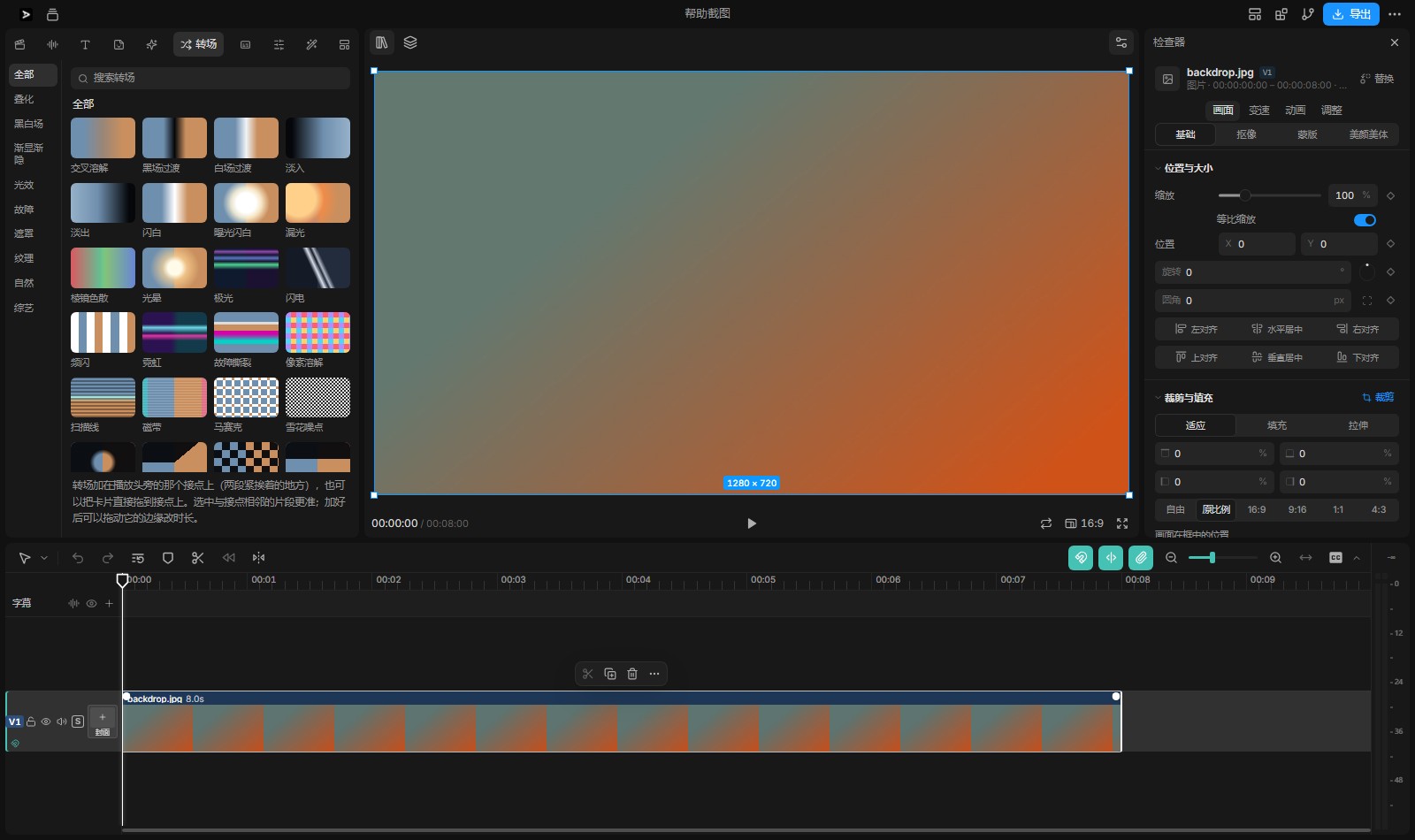
How: drag a transition onto the cut where two clips meet (or pick the neighbouring clips and choose one in the inspector). A cut takes one transition; drag its edge to change the length; press Delete to take it off. Too short a clip says it will not fit. Sound has a crossfade of its own.
5.1 The six basic
Cross dissolve · dip to black · dip to white · fade in · fade out · audio crossfade
5.2 The forty-eight drawn ones, in six groups
| Group | Effects |
|---|---|
| Light (9) | flash to white · exposure flash · light leak · prismatic dispersion · halo · aurora · lightning · strobe · neon |
| Glitch (6) | glitch tear · pixel dissolve · scan lines · tape · mosaic · snow |
| Mask wipes (10) | circle opening · clock wipe · checkerboard · vertical bars · jagged sweep · colour bars · frosted glass · blinds · shutter · ink |
| Texture (5) | film burn · grain · paper · dust and scratches · bokeh |
| Nature (8) | clouds · ink wash · waves · rain · snow · ripples · fog · petals |
| Atmosphere (8) | soft-light dissolve · colour dissolve · spiral · impact · comic panels · starlight · ribbons · whip-pan smear |
One more: any web page that follows the film format can come in as a transition — the AI writes a transition page and Studio recognises it and puts it on the transition shelf ("the page has been added as a transition"). For a transition of your own, just say: "write a transition page of ink spreading with gold dust falling, and add it to this film's transitions".
6. Every filter: 14 groups, 113 cards
Two ways to use one:
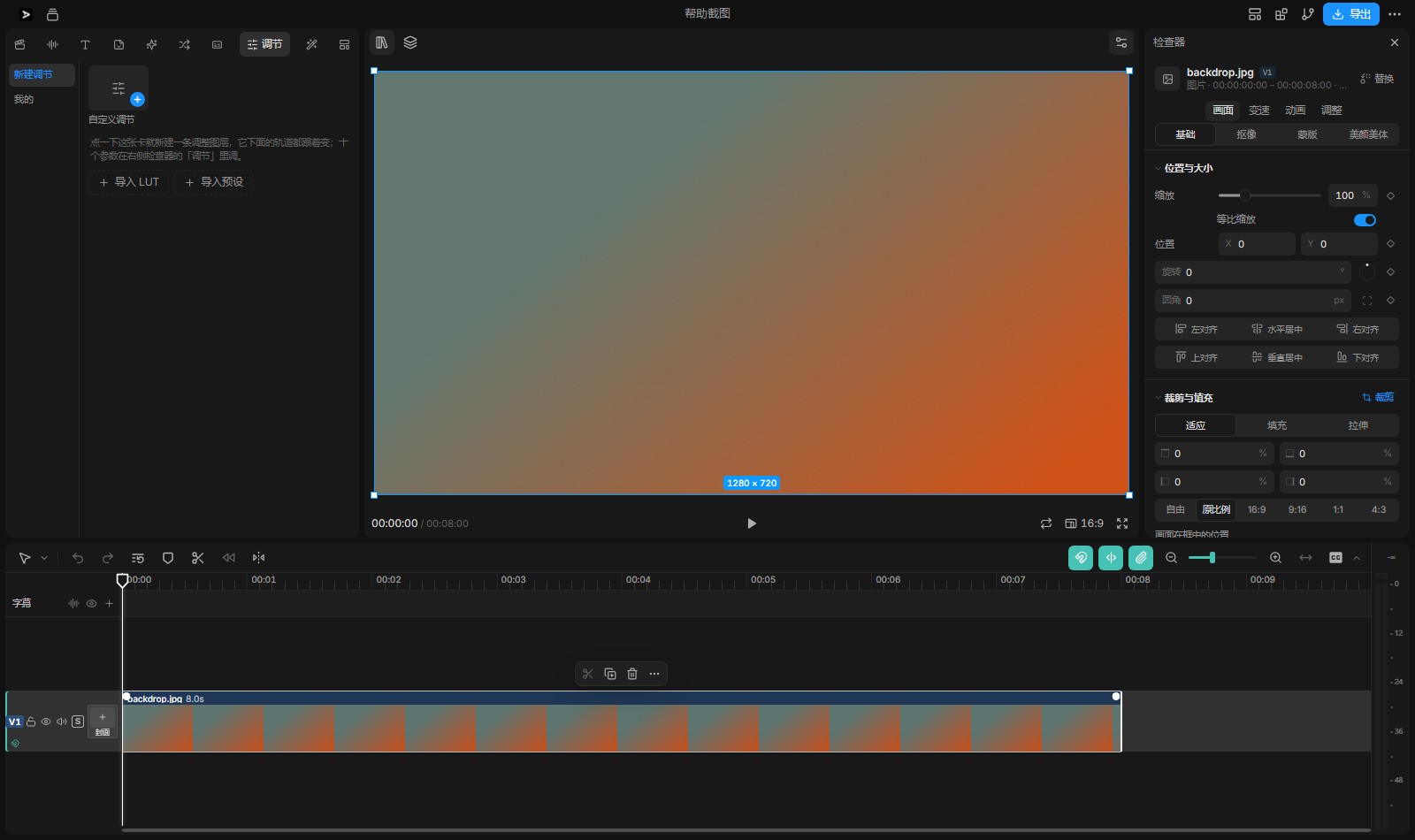
- An adjustment layer (the better one): on an empty track above the picture — as long as the layer, so long every track below it is changed, good for one tone across the film;
- straight onto a clip (pick it, then choose on the inspector's adjustment tab).
Strength runs 0–200% in the inspector; the same chain never applies the same effect twice. Adjustment → bring in a LUT (.cube) takes a LUT from Resolve / Premiere / CapCut; it becomes a card under mine, can be put on again and its strength changed; save this adjustment keeps the ten numbers as a card of your own.
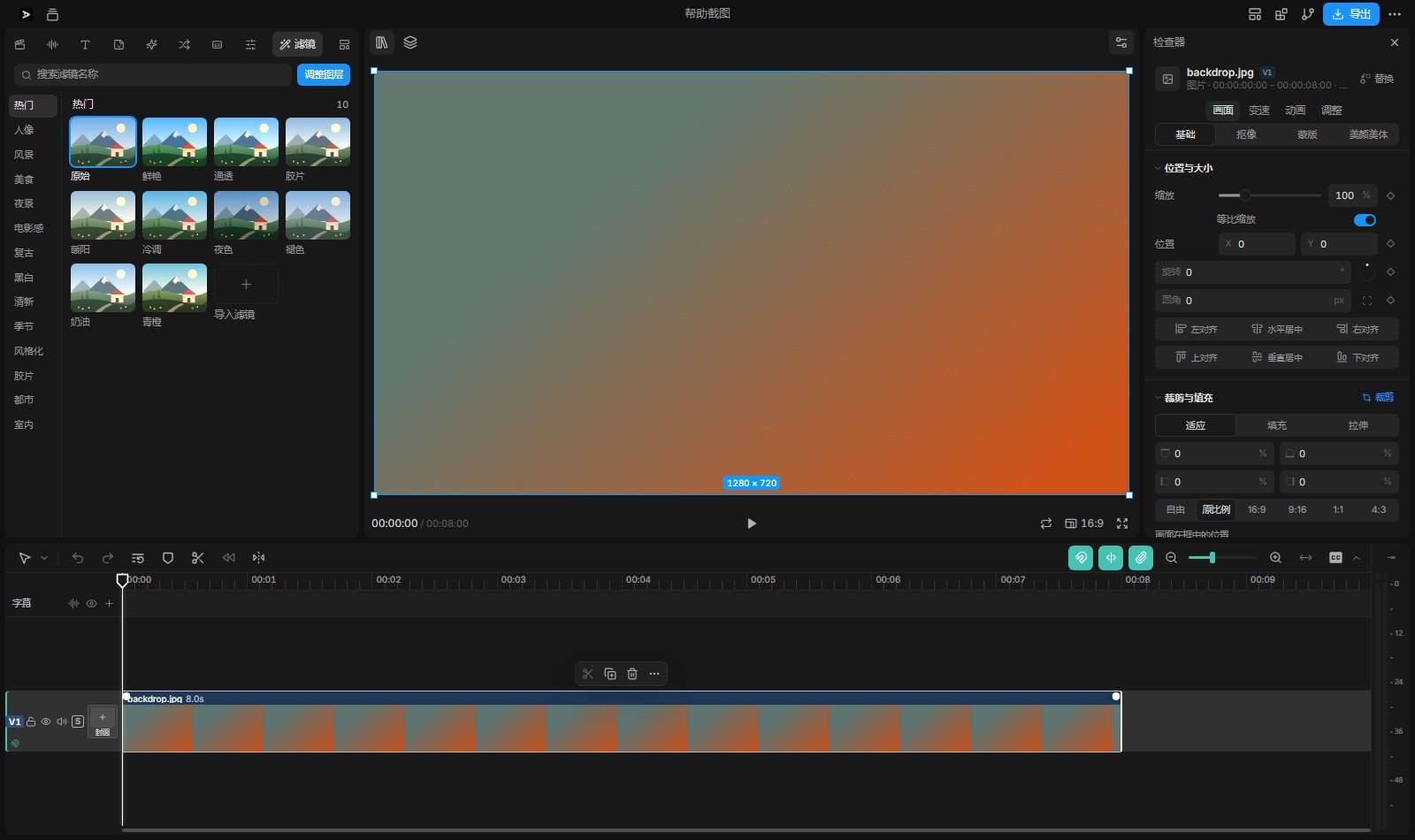
14 groups, 113 cards
| Group | Looks |
|---|---|
| Popular (10) | original · vivid · clear · film · warm sun · cool · night · faded · cream · teal and orange |
| Portrait (10) | soft skin · milk · peach · rose · porcelain · honey · soft light · wheat · cool white · cream |
| Landscape (12) | clear · vivid · sky blue · deep forest · sunset · sea blue · deep sea · snowfield · desert · grassland · volcano · haze |
| Food (9) | appetising · savoury · baked · fresh greens · coffee · Japanese · dessert · grilled · warm sun |
| Night (8) | night · dusk · neon · moonlight · cyberpunk · blue hour · city lights · starry |
| Cinematic (9) | teal and orange · blockbuster · dark · sci-fi · warm film · cool film · green film · high key · low key |
| Retro (8) | retro · sepia · old photo · seventies · Polaroid · videotape · disco · old green |
| Black and white (8) | black and white · soft black · hard black · silver · charcoal · hard · warm grey · cool grey |
| Fresh (9) | Japanese · airy · mint · lemon · cherry blossom · morning light · clear · milk · soft skin |
| Seasons (8) | early spring · midsummer · autumn · winter · golden hour · rain · snowy night · harvest |
| Stylised (9) | dreamy · cyber · pink · lavender · lime · infrared · negative · duotone · comic |
| Film stock (8) | Portra · Ektar · Kodak colour · Fuji · Ilford · motion picture · expired · vintage |
| City (7) | street · metropolis · concrete · metal · sunset block · night street · subway |
| Indoors (7) | home · café · candlelight · office · warm · museum · gallery |
7. The template system
Studio's templates are two lots of things on one foundation (every layer is its own page and its own clip: one drop, one undo, every layer changeable):
7.1 The eight starting films (the start page and the editor's templates tab, the same eight)
| Template | For | Shape and length |
|---|---|---|
| Title | an opening title | landscape, 5 s |
| Chapter | a chapter card | landscape, 4 s |
| Quote | a quotation or a line worth keeping | landscape, 6 s |
| Lower third | a name band | landscape, 4 s |
| Data | a number or a result | landscape, 5 s |
| Follow card | an ending that asks for a follow | landscape, 4 s |
| Vertical cover | a cover frame for a vertical feed | portrait, 5 s |
| End card | thanks at the end | landscape, 4 s |
The start page's Templates starts a film from one (a picture that draws itself the moment it opens); the editor's templates tab drops one at the playhead (several layers: the words and the stickers are each their own, moved, retyped and deleted apart). Note that templates have nothing to do with style — a whole visual language belongs to the style library and the skills; templates only decide what shape a page has.
7.2 The five film titles (smart packaging, under text templates)
Opening · chapter · lower third · quote · ending — each is several layers of type together (a main title, a subtitle and a credit, each on its own layer with its own word-art style and its own moment), dropped as a set in one press and then changed layer by layer.
7.3 Which one to reach for
| What you want | Where |
|---|---|
| the look of one line (with motion) | the word-art library (96) |
| a style plus words, together | the word cards under text templates (42) |
| a whole set of titles (several layers) | the film titles (5) / the eight templates |
| a visual language for the whole film | the style library / skills (001–137) |
8. Prompts to keep by
| To | Say to the AI |
|---|---|
| start a film | "in the style of 008-1940s-film-noir, a 40-second film about ××" |
| unsure of the style | "a short film about ×× — show me three styles first" |
| make card JSON | the whole prompt in 4.1, with your own subjects |
| cards straight into the film | "at 00:03 add a word card in the variety-showdown style, the words ××, for 2.5 s" |
| a whole title set | "start with the title template, title ××, subtitle ××" |
| one tone throughout | "put an adjustment layer over the whole film, cinematic teal and orange, 80%" |
| a transition of your own | "write a transition page of ink spreading with gold dust, and add it to this film's transitions" |
| change a card | "change the Sunset gradient in my-word-cards.json to blues and purples, and export it again" |
| a whiteboard explainer | "turn this transcript into a whiteboard explainer (style 137, the pen line)" |
The state of the workspace this page describes: 96 word-art looks (11 variety-show ones added in November 2026), 42 word cards, 48 drawn transitions, 14 filter groups, 8 starting-film templates, 5 film titles, 137 numbered styles. It is still growing, so the numbers in the app are what count.